
Exploring the realm of home automation on a budget opens up a world of possibilities. From enhancing convenience to increasing efficiency, this guide dives into the art of automating your home without draining your wallet. Get ready to revolutionize your living space with cost-effective solutions and smart choices.
Introduction to Home Automation on a Budget
Home automation refers to the use of smart devices and technology to control and automate various aspects of a home, such as lighting, heating, security systems, and entertainment systems. These devices can be controlled remotely through a smartphone or a centralized hub, providing convenience and efficiency to homeowners.
Automating your home comes with several benefits, including increased energy efficiency, improved security, and enhanced convenience. By automating tasks that were previously manual, homeowners can save time, money, and effort in managing their homes.
Common Misconception about Home Automation Cost
There is a common misconception that home automation is a luxury reserved only for the wealthy due to its perceived high costs. However, with advancements in technology and the availability of affordable smart devices, home automation is now more accessible to a wider range of homeowners, even those on a budget.
Assessing Your Needs and Prioritizing Automation
Before diving into home automation, it's crucial to assess your needs and prioritize automation based on your specific requirements and budget constraints.
Identify Areas for Automation
When considering home automation, start by identifying which areas of your home you want to automate. This could include lighting, security systems, temperature control, entertainment systems, or even appliances.
- Smart lighting to control brightness and color.
- Security cameras for monitoring your home.
- Smart thermostats for efficient temperature control.
- Smart locks for enhanced security.
List Essential Features
Make a list of essential features you want in your automated setup. Consider factors like ease of use, compatibility with other devices, energy efficiency, and remote access capabilities.
- Compatibility with voice assistants like Amazon Alexa or Google Assistant.
- Integration with existing smart home devices.
- Energy-saving features to reduce utility bills.
- Remote access to control devices when you're away from home.
Prioritize Based on Needs and Budget
Prioritize automation based on your needs and budget constraints. Start with essential systems that improve safety and security before moving on to convenience and entertainment features.
It's important to strike a balance between functionality and cost when prioritizing automation for your home.
DIY vs. Professional Installation
When it comes to automating your home, one of the key decisions you'll need to make is whether to take on a DIY approach or hire professionals for the installation. Each option comes with its own set of costs, advantages, and disadvantages.
Cost Comparison
DIY automation projects are generally more cost-effective compared to hiring professionals. You can save money by purchasing the equipment yourself and installing it without incurring additional labor costs. On the other hand, hiring professionals may involve higher upfront costs but can ensure proper installation and integration of your home automation system.
Advantages and Disadvantages
- DIY:
- Advantages:
- Cost-effective
- Flexibility to customize and expand the system
- Sense of accomplishment
- Disadvantages:
- Requires time and effort to research and install
- Potential for errors or malfunctions
- Limited technical support
- Advantages:
- Professional Installation:
- Advantages:
- Expertise and experience in installation
- Professional guidance on system setup
- Warranty and technical support
- Disadvantages:
- Higher upfront costs
- Less flexibility for customization
- Dependence on service provider for maintenance
- Advantages:
Tips for DIY Installations
When opting for a DIY home automation project, it's essential to prioritize safety and proper installation techniques. Here are some tips to ensure a successful DIY installation:
- Read and follow installation instructions carefully.
- Turn off the power supply before working on electrical components.
- Test the system thoroughly before relying on it for everyday use.
- Seek advice from online forums or communities for troubleshooting tips.
- Consider starting with simple automation tasks before tackling more complex projects.
Affordable Smart Devices and Systems
When looking to automate your home on a budget, it's important to choose affordable smart devices and systems that offer value for money. Here, we will explore some budget-friendly options for beginners, compare different smart home systems in terms of cost-effectiveness, and provide recommendations for reliable yet affordable brands in the market.
Budget-Friendly Smart Devices for Beginners
- Smart Plugs: These devices can turn any appliance into a smart device, allowing you to control them remotely.
- Smart Bulbs: Energy-efficient and customizable, smart bulbs can be a great starting point for home automation.
- Smart Thermostats: Save on energy costs by automating your home's heating and cooling with a smart thermostat.
Comparison of Different Smart Home Systems
- Amazon Alexa: Affordable and widely compatible with various smart devices, making it a popular choice for beginners.
- Google Assistant: Another cost-effective option with a user-friendly interface and seamless integration with Google products.
- Apple HomeKit: While more expensive, Apple HomeKit offers high security and privacy features for those invested in the Apple ecosystem.
Recommendations for Affordable Brands
- TP-Link: Known for its affordable yet reliable smart home devices, TP-Link offers a range of products for different needs.
- Wyze: Wyze provides budget-friendly smart cameras, sensors, and plugs without compromising on quality.
- Ring: Ring offers affordable security solutions like video doorbells and cameras, ideal for those looking to enhance home security on a budget.
Integrating Voice Assistants for Control
Voice assistants play a crucial role in enhancing the convenience and efficiency of home automation systems. They allow users to control various smart devices with simple voice commands, making the entire experience more seamless and user-friendly.
Compatibility of Voice Assistant Platforms
When integrating voice assistants into your home automation setup, it's essential to consider the compatibility of different platforms. Popular voice assistants like Amazon Alexa, Google Assistant, and Apple Siri may have varying levels of compatibility with smart devices and systems.
Make sure to choose a voice assistant that works well with the devices you already have or plan to purchase.
- Amazon Alexa: Known for its extensive device compatibility and wide range of skills, Alexa is a popular choice for many smart homeowners. Setting up Alexa involves creating routines, enabling skills, and connecting compatible devices through the Alexa app.
- Google Assistant: Google Assistant offers seamless integration with Google products and services, making it a preferred choice for users within the Google ecosystem. Setting up Google Assistant involves linking smart devices, creating routines, and customizing settings through the Google Home app.
- Apple Siri: Siri is deeply integrated with Apple's HomeKit platform, offering a secure and privacy-focused option for controlling smart devices. Setting up Siri involves adding devices to the Home app, creating scenes, and using voice commands through Apple devices.
Setting Up Voice Control in Your Home
To set up voice control for your home automation system, follow these steps:
- Choose a compatible voice assistant and ensure your smart devices support it.
- Install the necessary apps for the voice assistant on your smartphone or other devices.
- Link your smart devices to the voice assistant platform using the respective app or skill.
- Create routines or scenes to automate multiple actions with a single voice command.
- Test the voice control system by issuing voice commands to control your smart devices.
Utilizing Energy-Efficient Automation Solutions
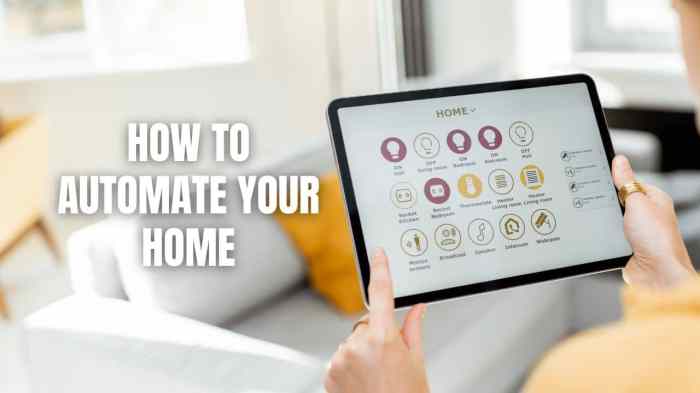
Automation plays a crucial role in energy conservation by allowing users to monitor and control their energy usage more efficiently. By implementing energy-efficient automation solutions, homeowners can reduce their environmental impact and save money on utility bills.
Choosing Energy-Efficient Smart Devices
- Look for smart devices with energy-saving features such as scheduling options, motion sensors, and energy monitoring capabilities.
- Opt for devices that are ENERGY STAR certified, indicating they meet high energy efficiency standards.
- Consider the power consumption of the smart devices and choose ones that are designed to be energy-efficient.
Reducing Utility Bills with Automation
- Smart thermostats can help optimize heating and cooling schedules based on your preferences and occupancy patterns, leading to energy savings.
- Automated lighting systems can turn off lights when not in use and adjust brightness levels based on natural light, reducing electricity consumption.
- Smart power strips can automatically cut off power to devices in standby mode, preventing energy wastage.
Last Recap
As we wrap up our journey through budget-friendly home automation, remember that transforming your living space doesn't have to come with a hefty price tag. By prioritizing your needs, exploring DIY options, and integrating smart devices wisely, you can achieve a fully automated home without breaking the bank.
Start your automation journey today and experience the convenience and comfort it brings to your daily life.
Detailed FAQs
Can I automate my home on a tight budget?
Absolutely! By prioritizing your needs, exploring affordable smart devices, and opting for DIY installations, you can automate your home without overspending.
Are there energy-efficient automation solutions available?
Yes, there are plenty of energy-efficient smart devices that can help you reduce utility bills. Look for devices with energy-saving features to make your home automation setup eco-friendly and cost-effective.